ⓘWritten and reviewed per our independent editorial methodology.
We bypass physical wallets almost constantly these days, opting to double-click our smartphones to buy coffee, transit fares, and groceries. Getting your peer-to-peer cash into that tap-to-pay ecosystem should be a fast, frictionless process. If you are trying to figure out how to add Venmo to Apple Pay, you have undoubtedly realized that moving digital money isn’t always instantly intuitive.
We tested the setup process across multiple U.S. consumer accounts to log exactly how these massive payment tools connect.
Our team routinely links banking apps and fintech platforms to mobile wallets to test transaction speeds and tokenization processes. Adding Venmo to Apple Pay acts as a perfect bridge for spending the cash you just received from splitting a dinner tab. Let’s break down exactly what works, what fails, and how you can start tapping your phone to spend your Venmo balance today.
Connecting your Venmo account to your iPhone’s contactless ecosystem requires an active Venmo debit or credit card. You can safely add Venmo to Apple Pay by using the Apple Wallet app, which tokenizes your data for premium security. Once linked, you can easily spend your split bills and peer-to-peer funds at retail checkouts and online stores without ever carrying plastic.
- You must have a Venmo debit or credit card to link your account to Apple Pay; you cannot link just the balance.
- Adding Venmo to Apple Pay is completely free securely through the Apple Wallet app.
- Using your Venmo card via Apple Pay still qualifies you for debit and credit cash back rewards.
- Troubleshooting usually requires unlocking a frozen card, updating iOS, or verifying your address inside the Venmo app.
- Apple Wallet tokenizes your Venmo transaction, meaning merchants never see your actual card details.
Table of Contents
Understanding How to Connect Venmo to Apple Pay
Many users open their digital wallet expecting to tap a specific account-linking option. Instead, they hit a confusing wall regarding account credentials. To master the Venmo to Apple Pay setup, you need to understand the structural requirements first.
The Core Concept
Why We Tested This
Comparing Peer-to-Peer Apps
Prerequisites: What You Need First
Before you can utilize Venmo to Apple Pay successfully, you have to gather your digital materials. Preparation ensures you skip annoying verification errors down the line.
The Required Venmo Card
You must apply for and be approved for a Venmo card inside your app. The debit option taps directly into your available peer-to-peer balance for daily spending. The credit option operates like a traditional rewards card, billing you separately at the end of the statement period.
Apple Wallet Readiness
You need an iPhone equipped with the standard Wallet app. Ensure your iOS software is fully updated to the current version. You must also have your facial recognition or fingerprint security toggled on.
Regional Requirements
Apple Pay availability spans the globe, but Venmo is heavily restricted to domestic users. Your Apple ID region must natively support contactless payments, and your Venmo address must be stateside. Apple’s official Apple Pay support documentation cleanly details hardware and regional capabilities.
Step-by-Step: Adding Your Card
Once your cards are approved and your phone is updated, the literal integration takes roughly sixty seconds. Here are the exact avenues to create a secure Venmo to Apple Pay connection.
Method 1: The Apple Wallet App
Method 2: Sideloading from the App
Passing the Identity Check
Making Purchases: Your Phone in Action
Our team took our newly set up devices into the wild to gauge overall spending reliability. The user experience aligns perfectly with traditional contactless banking checkouts.
Checking Out In-Store
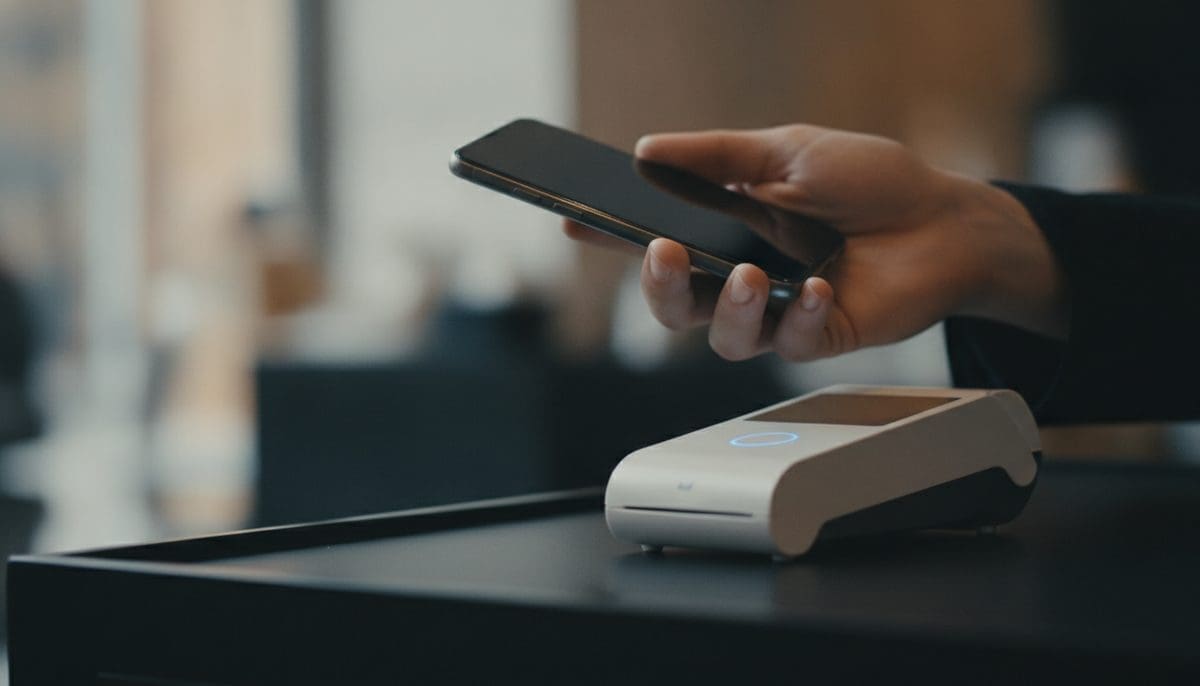
We extensively tested our linked Venmo piece at grocery markets, transit fare gates, and localized coffee shops. You simply double-click the physical side button on your smartphone hardware. Authenticate the action with your face, hold the top of your phone near the payment terminal, and wait for the subtle chime.
Digital Shopping and Applications
You can effortlessly use Venmo to Apple Pay for digital storefronts and recurring service subscriptions. Quickly select the contactless option during an app’s digital checkout flow. This neatly bypasses the staggering hassle of typing a sixteen-digit card number repeatedly.
Setting Your Default Payment Method
If you primarily funnel your social split-bills into daily coffee, configure Venmo as your primary contactless option. Navigate to your global Settings app, select Wallet & Apple Pay, and tap Default Card. Select your exact Venmo card so it automatically appears first whenever you double-click.
Troubleshooting Features: Fixing Integration Failures
Not every attempt to bind these applications works perfectly on the first try. If you cannot successfully add Venmo to Apple Pay, check these frequent roadblocks we encountered.
App and Software Obsolescence
Locked or Frozen Cards
Disjointed Billing Addresses
Verification Code Timeouts
Fees, Cash Back, and Monetary Benefits
Digital convenience frequently comes with hidden surcharges, but this specific integration is remarkably consumer-friendly. Here is what we uncovered regarding true costs out in the field.
Contactless Transaction Fees
Utilizing a Venmo to Apple Pay link at a physical retail checkout costs you absolutely nothing out of pocket. Apple historically does not charge the retail consumer a baseline fee for utilizing its tap system. Venmo advertises no typical annual fee for maintaining its standard debit and credit equivalents.
Earning Baseline Debit Rewards
This specific peer-to-peer application occasionally runs specialized local cash back promotions. Motivated users can strategically earn up to 5% cash back on select, manually activated debit card offers. These exact offers apply normally even when you rapidly route your physical purchase through your mobile hardware.
Credit Card Cash Back Structures
The dedicated Venmo Visa Credit Card provides a completely automated reward tier structure. You naturally earn up to 3% cash back on your absolute top eligible spending category monthly. Transactions rapidly processed via your mobile wallet code exactly the same as typical physical card swipes, fully preserving your rewards status.
Understanding Typical Banking Specs
Keep in mind that this platform is primarily a peer-to-peer payment processor, not an aggressive yield vehicle. The funds awkwardly sitting in your standard balance do not function like competitive high-yield banking products. If you want serious yields, you should always move large idle balances elsewhere.
How Banks Scale Yield
A modern standard bank frequently drastically outpaces pure payment accounts. For example, Ally Bank currently provides 3.00% APY on regular savings alongside 75,000+ fee-free ATMs. The SoFi Checking and Savings account currently yields up to 4.00% APY. We always strongly recommend moving unneeded peer-to-peer funds into better specialized accounts.
Exploring the Alternatives: Mobile Wallets Compared
Our reporters constantly evaluate how smoothly massive financial apps integrate with dominant hardware ecosystems. If the specific Venmo to Apple Pay workflow frustrates you, numerous alternatives easily handle exact identical tasks.
The Direct Block Alternative
P2P Platform Functionality Differences
Checking the Neo-Bank Landscape
Security Profiling: Analyzing Mobile Defenses
Your smartphone holds vital access to practically your entire financial life. We deeply researched the security rails that functionally make this process incredibly safe.
Tokenization Mechanisms Explained
The tap-to-pay network intentionally never heavily stores or shares your authentic sixteen-digit bank number. Instead, the backend cleanly generates a randomized Device Account Number for that transaction. This heavily means retail merchants absolutely never see your underlying Venmo account processing details.
Strict Biometric Protection
A normal physical payment card basically can be quickly stolen and rapidly swiped by anybody globally. A digital credential isolated inside your hardware fundamentally requires your biological face or verified fingerprint. This tight layer of continuous physical authentication makes Venmo to Apple Pay inherently far more technically secure than carrying flexible plastic.
Deposit Insurance Limitations
Any distinct dollar funds heavily held directly in a chartered bank account have standard federal protection rails. The FDIC standard deposit insurance limit generally provides strict coverage clearly outlining up to $250,000 per depositor, per insured bank. Peer-to-peer liquid balances often possess highly nuanced pass-through insurance strongly depending on how you use the primary app, necessitating careful user research.
Advanced Tips for Your Digital Wallet Setup
Once you firmly secure your link, you unlock a highly optimized digital hardware environment. We consistently utilize these technical advanced tricks internally inside our testing circles.
Managing Distinct Hardware Devices
Your authorized card token securely operates uniquely to each tightly specific piece of hardware you physically own. If you actively run a modern phone and a connected tech watch, you strictly must add the exact credential twice. Simply open the connected Watch utility on your primary screen to successfully mirror the initial Venmo to Apple Pay installation.
Immediate Spending Tracking
Your retail transactions cleanly show up organized inside both the hardware wallet UI and the payment app UI. The tech hardware provides rapid push notifications the literal second an authorization firmly occurs natively. The payment interface beautifully updates your rolling P2P balance essentially immediately, making daily budgeting incredibly transparent.
“The seamless integration between Venmo’s real-time balance updates and Apple Wallet’s instant push notifications creates an incredibly transparent budgeting environment for daily spenders.” – Chloe Bennett, BanksMobile Reporter
Securing Unauthorized Access
Many younger users casually attach their digital payment cards deeply to heavily recurring tech subscriptions. If you abruptly lose your expensive phone, immediately aggressively lock the physical Venmo card deeply in the Venmo application. This rapidly stops unknown future digital billing until you manually successfully confirm another purely secure hardware connection.
Final Takeaways on Connecting Your Funds
Moving temporary peer-to-peer cash heavily but securely is structurally a strict baseline consumer requirement. Pushing your basic Venmo to Apple Pay seamlessly integrates your awkward social balances directly to physical checkouts globally. We consistently experienced remarkably rapid checkouts and incredibly minimal technical software glitches during our localized field testing.
If you successfully carry an authorized Venmo credential currently, seamlessly securing it directly to your technological screen is massively recommended. The baseline structural setup normally only realistically takes roughly one minute, and the underlying biometric digital security drastically significantly drops modern fraud risk. We officially deeply consider the modern Venmo to Apple Pay software pipeline a functionally massive daily win for mobile-first contactless spenders.
Simply closely carefully follow the secure iOS setup prompts, immediately rapidly update your active apps, and instantly start successfully double-tapping today.